"The trading journal that checks your trades against your own rules"
Your account has a PnL number – but not a reason.
After six months of trading, you know whether you're up or down. What you don't know is which setup is actually driving your results, which one you keep trading out of habit, and under what market conditions each one performs best. So you keep making adjustments without ever knowing what caused the change – because you never had a baseline to compare against.
You can't improve what you never measured.
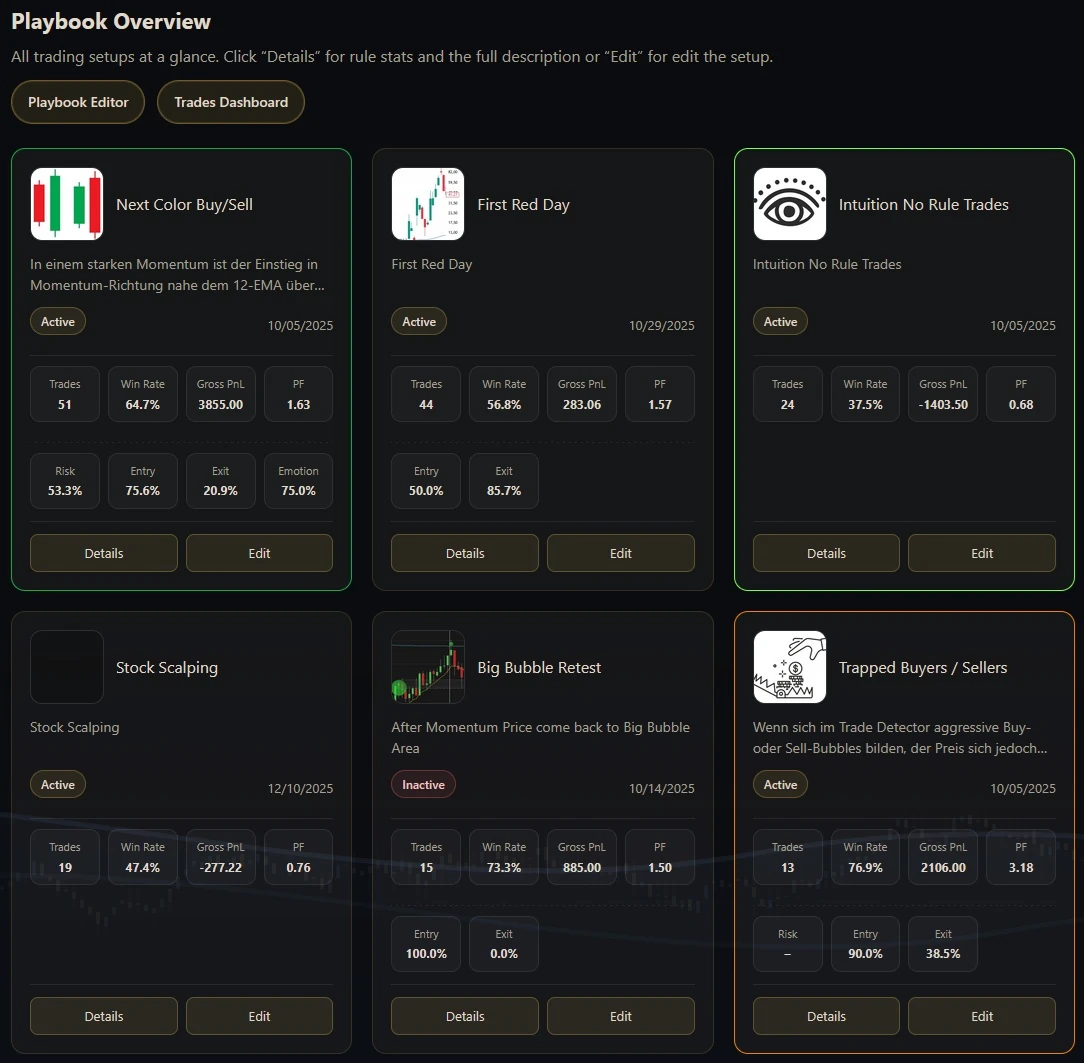
All setups at a glance
The playbook view shows every setup in card form: status, trades, win rate,
profit factor, entry/exit quality, and more. Instantly see what makes money and what needs work.
Playbook cards with status, metrics, and direct access to details & editing.
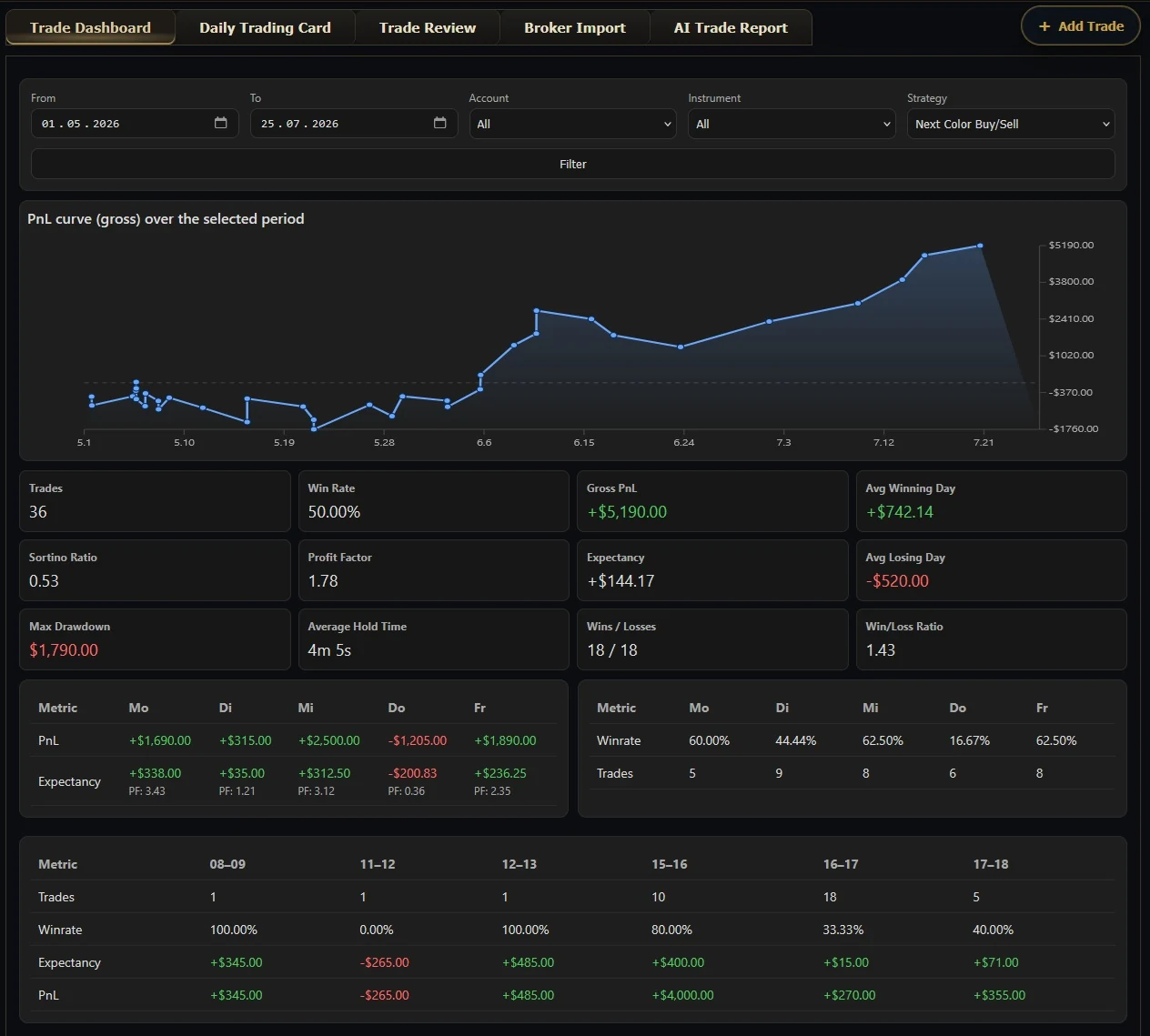
Trades dashboard – PnL curve & metrics in detail
The trades dashboard highlights your PnL curve, all essential metrics (win rate, profit factor,
expectancy, max drawdown, and more) plus weekday distribution. Filter by period,
account, instrument, or playbook.
Dashboard with PnL progression, performance metrics, and day-by-day analysis.
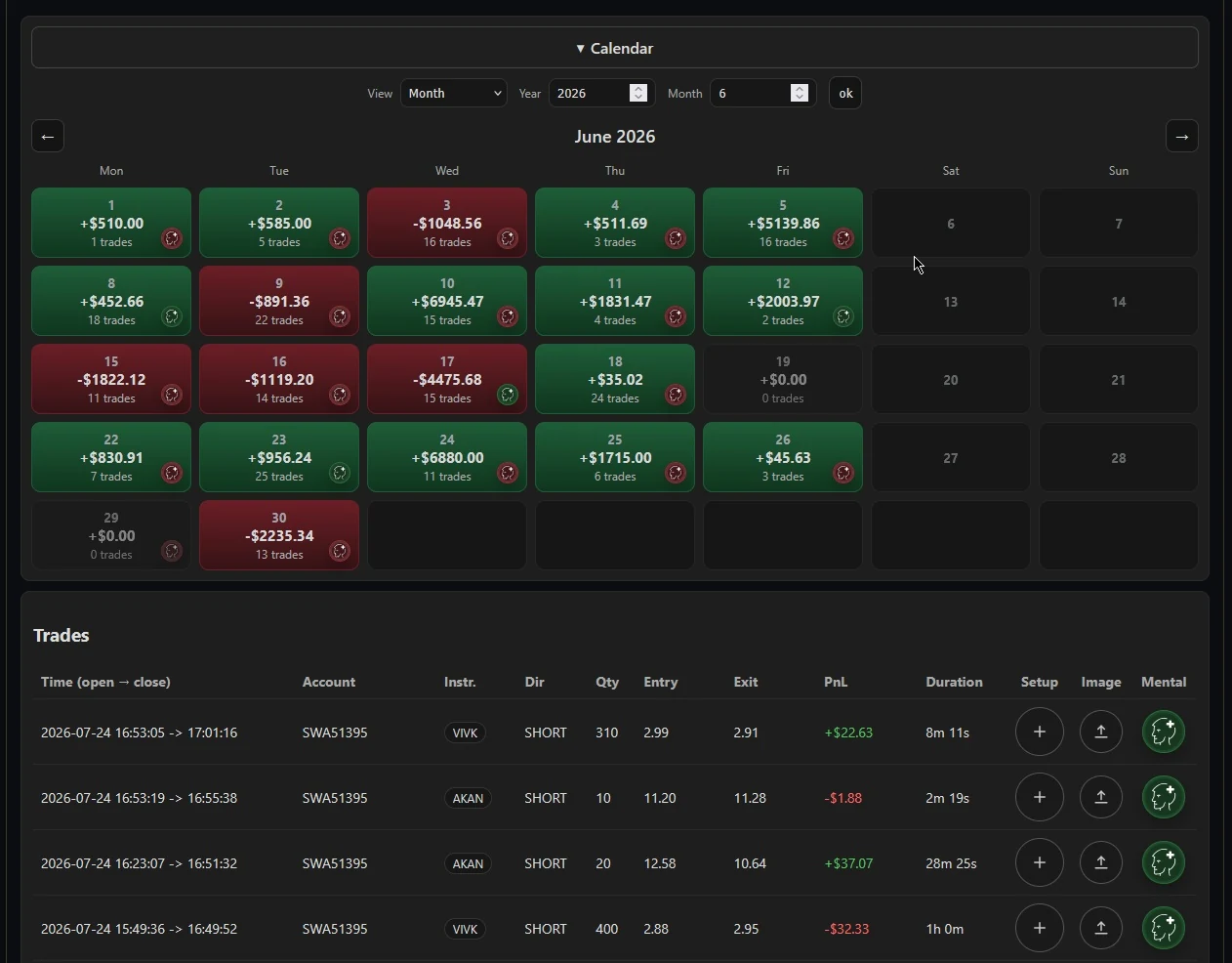
Calendar view – spot green and red days instantly
The calendar colors each day by result so you quickly know when performance is strong or weak and how many trades ran. Beneath it sits the full trade list in a clean table.
Monthly calendar with daily PnL and every trade from the selected period below.
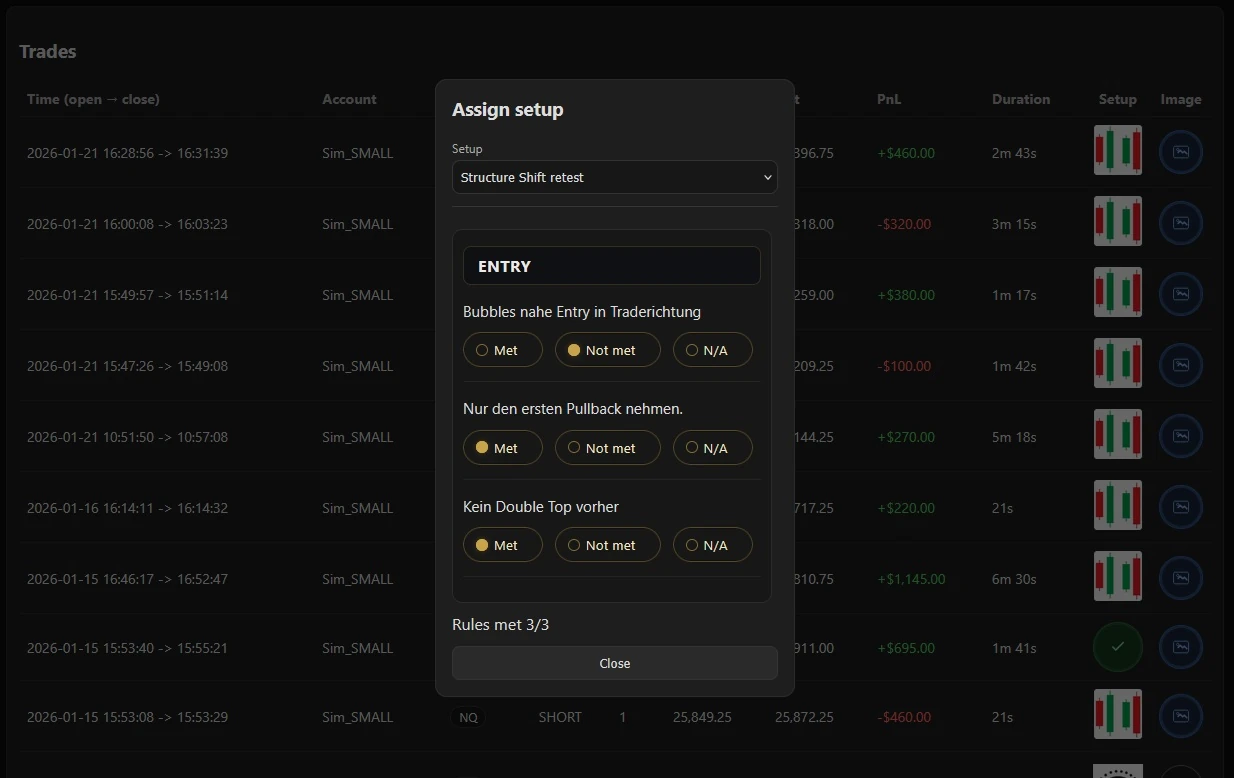
Playbook setup rule check – are you following your rules?
Assign a setup to each trade in the playbook dialog and tick off entry and
exit rules. You immediately see whether you truly trade your system—or just think you do.
Rule dialog with entry/exit criteria and automatic completion rate per trade.
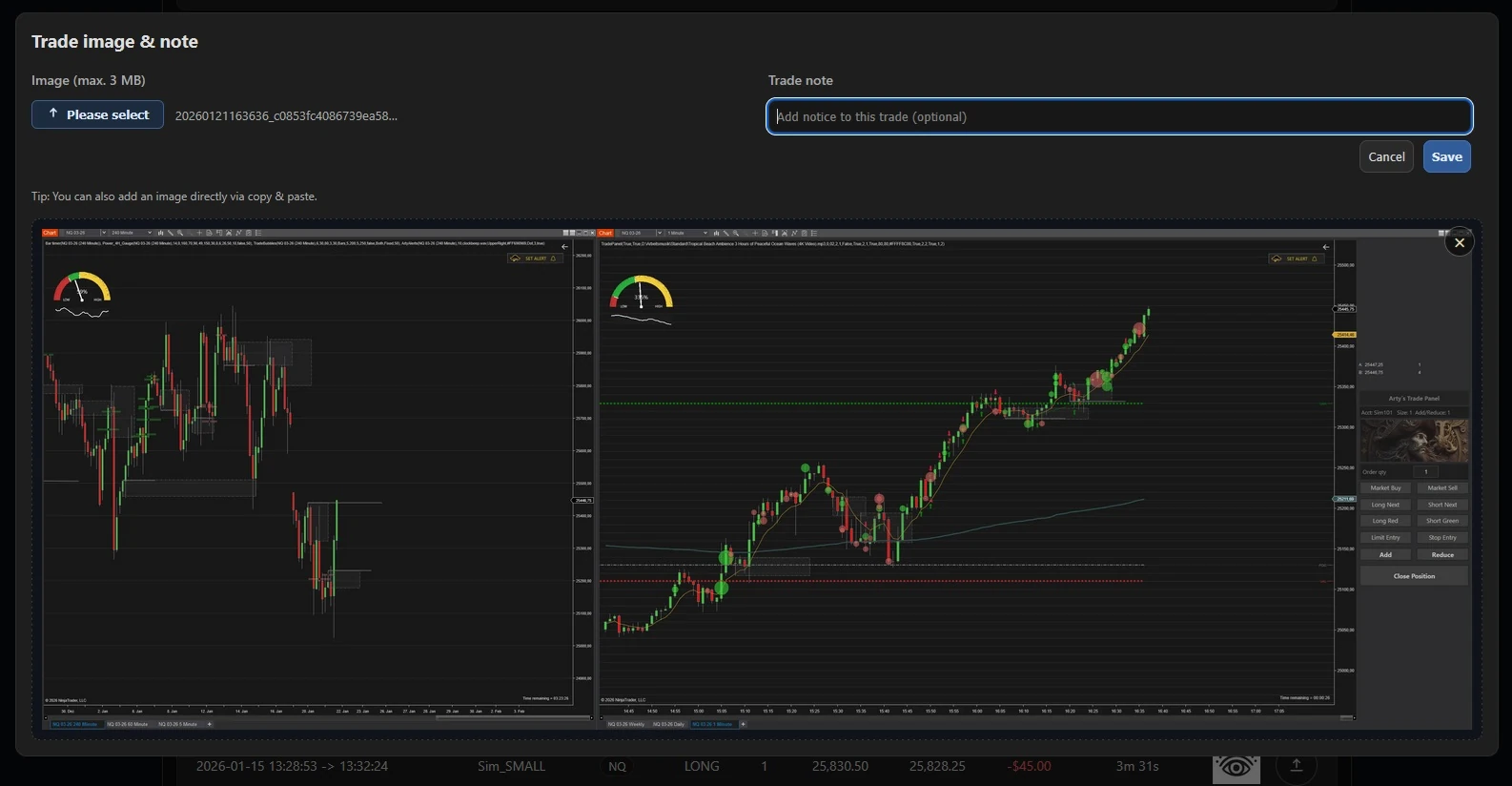
Trade image & note – context right on the trade
Save a screenshot and attach a note to any trade.
Whether it's an entry screen, exit review, or chart annotations—everything stays linked to the trade for future review.
Trade image dialog with chart screenshot and note field for your review.
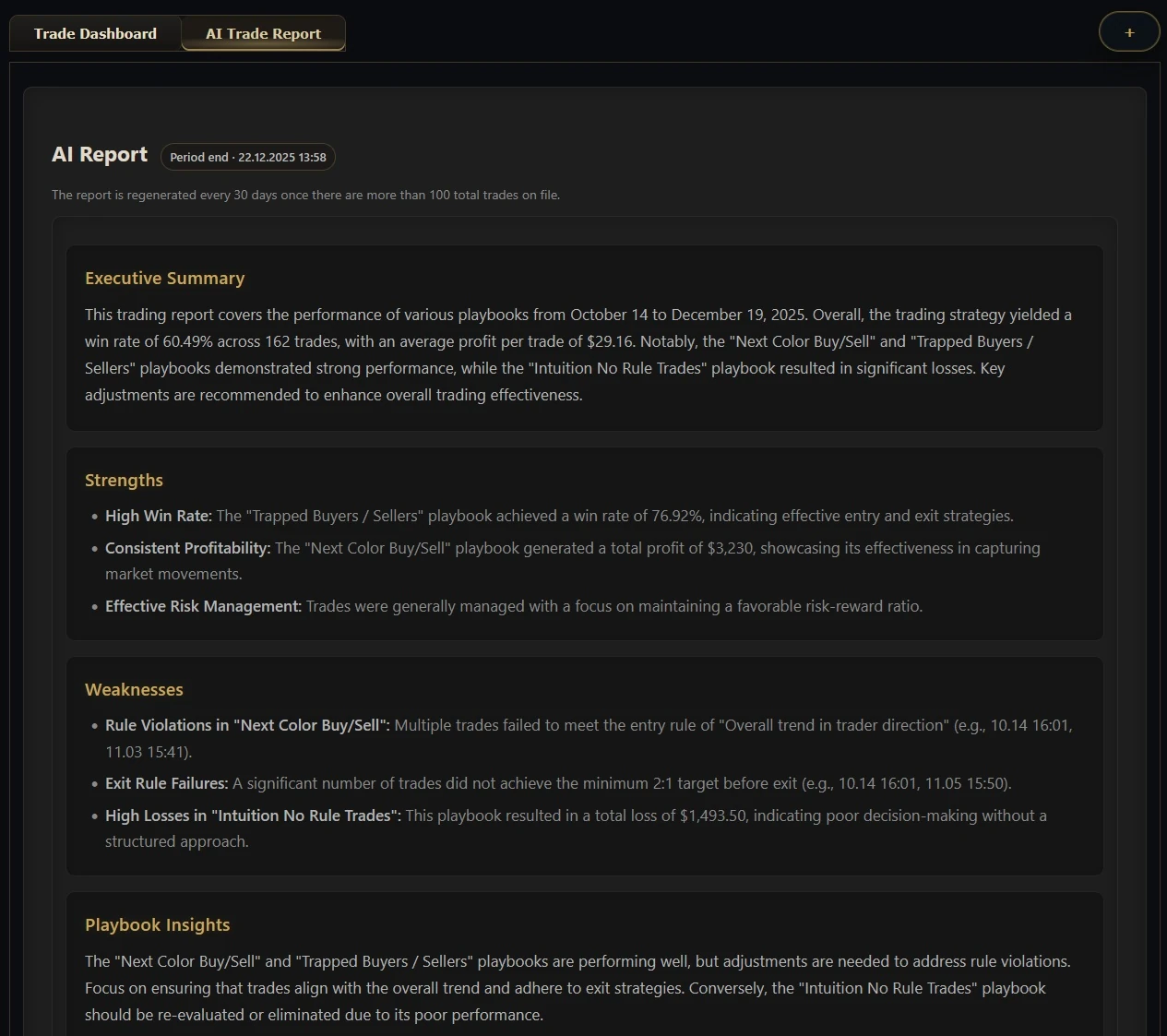
AI trade report – executive summary for your trades
The AI report delivers a clear overview: timeframe,
executive summary, strengths, weaknesses, and playbook insights. It shows exactly what to focus on in your next trading block.
AI report highlighting strengths, weaknesses, and actionable playbook insights from your data.
Everything a trading journal should do
Setup playbookDefine your own setups with entry and exit rules. Every trade is assigned to one, so you see win rate and profit factor per setup instead of one number for everything.
Rule check on every tradeTick off which of your own rules you actually followed. The completion rate per trade tells you whether you trade your system or improvise.
Automatic import with Account GuardRunning Account Guard in NinjaTrader 8 syncs your trades into the journal by itself. For other brokers there is a manual import.
Performance analyticsPnL curve, expectancy, max drawdown, weekday distribution and calendar view – filterable by period, account, instrument or playbook.
Screenshots & notesAttach a chart image and your own notes to any trade, so the context is still there weeks later.
AI trade reportAn executive summary of a chosen period – strengths, weaknesses and playbook insights drawn from your own data.
Try everything free for 14 days
Not just the journal: all my other tools are included, Account Guard among them – which is also what makes the automatic sync work.
If the journal shows you one setup that has been quietly costing you money, it has potentially paid for itself.